Helping your family bear fruit.
Olive Shoots is a shared calendar on the devices you already own, with a locked kiosk for the children, points and rewards for their fruits, and a daily report for you.
Download the appYour children will be like olive shoots around your table.
Psalm 128:3
Olive shoots grow slowly. No fruit for years, nothing showy, just steady growth close to the trunk. Which is more or less what raising children is. Olive Shoots was built by a homeschool dad for his own family, and now it's for yours.
Built for the way families actually grow.
The day, already laid out.
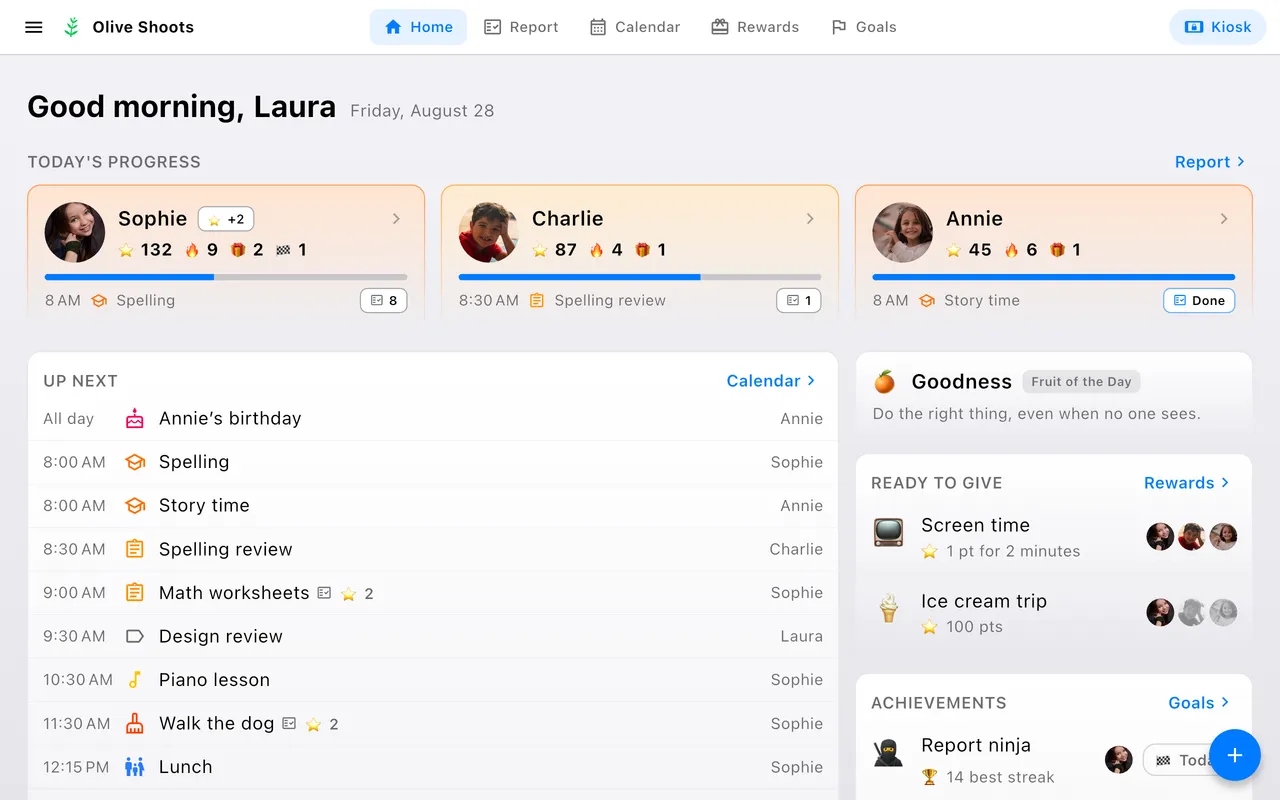
Open the app and the day is there: what's up next, how each child is doing, whose birthday it is, and the day's one fruit to talk about at dinner. The rewards they can afford and the goals just reached sit alongside, so what's worth noticing finds you instead of waiting to be looked for.
Know how the day went.
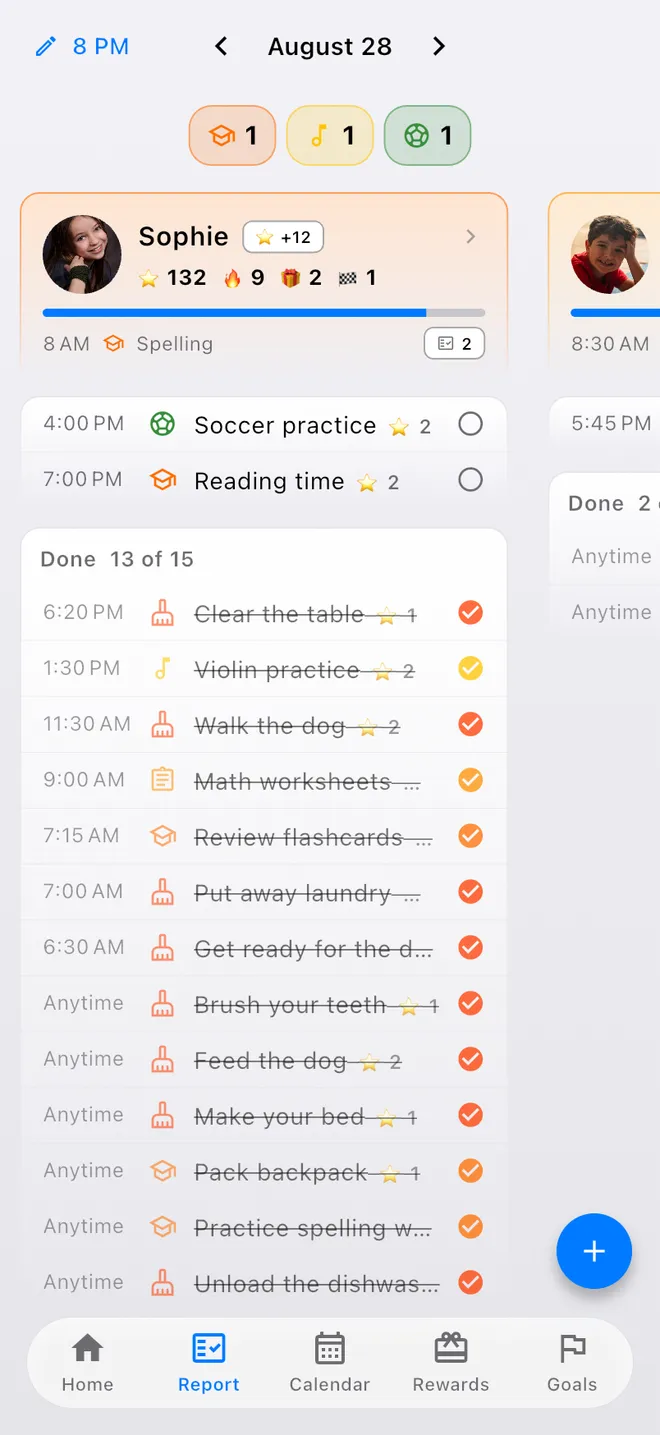
A per-child rollup of done, remaining, and points, over the 24-hour window you choose, so the day closes when your house does rather than at midnight.
Fruits, then rewards.
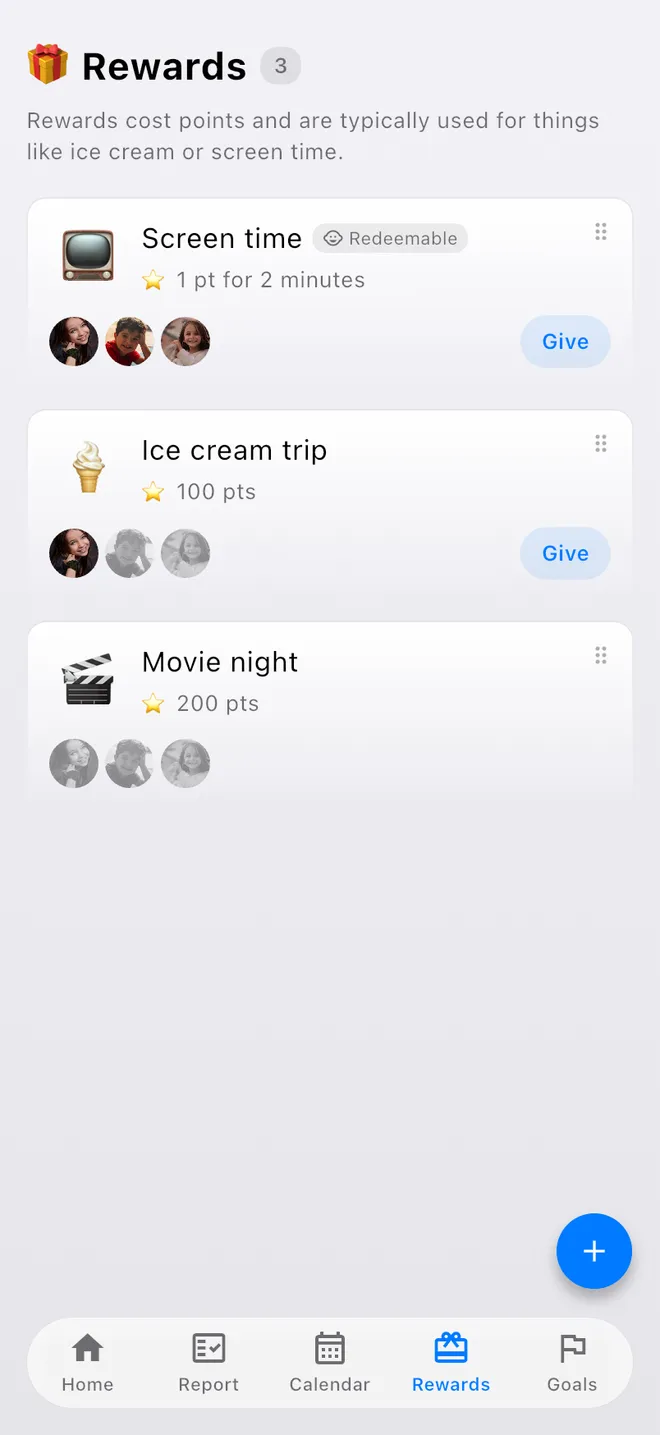
Chores earn points. Children spend them on rewards you set, like ice cream or screen time, or grow toward goals that cost nothing to reach: a two-week streak, a trophy that stays won.
Any tablet becomes the family board.
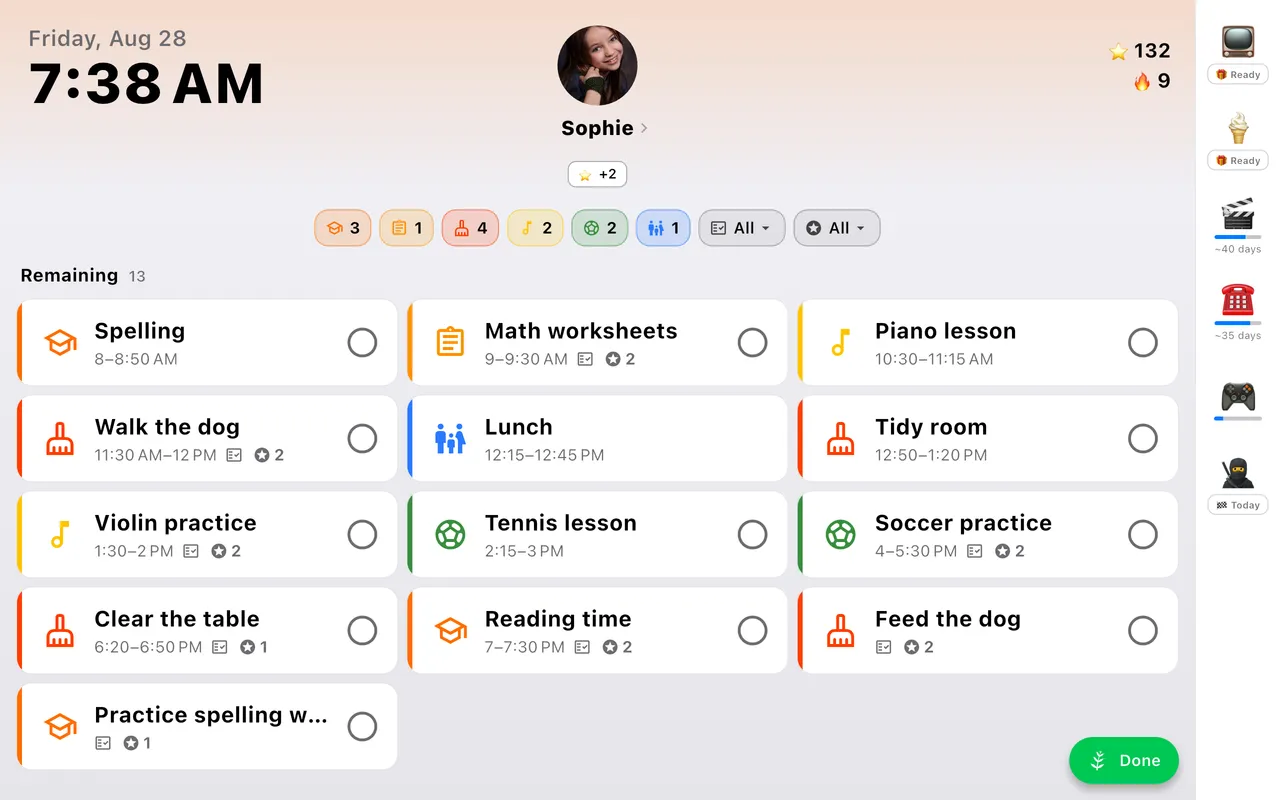
That spare tablet in the drawer? Mount it by the kitchen door and lock it into kiosk mode. Children can check things off, and nothing else. Exiting requires the parent password. A child who isn't reading yet can have the same board as big picture cards instead with accessibility mode.
A calendar you already know, and the ones you already keep.
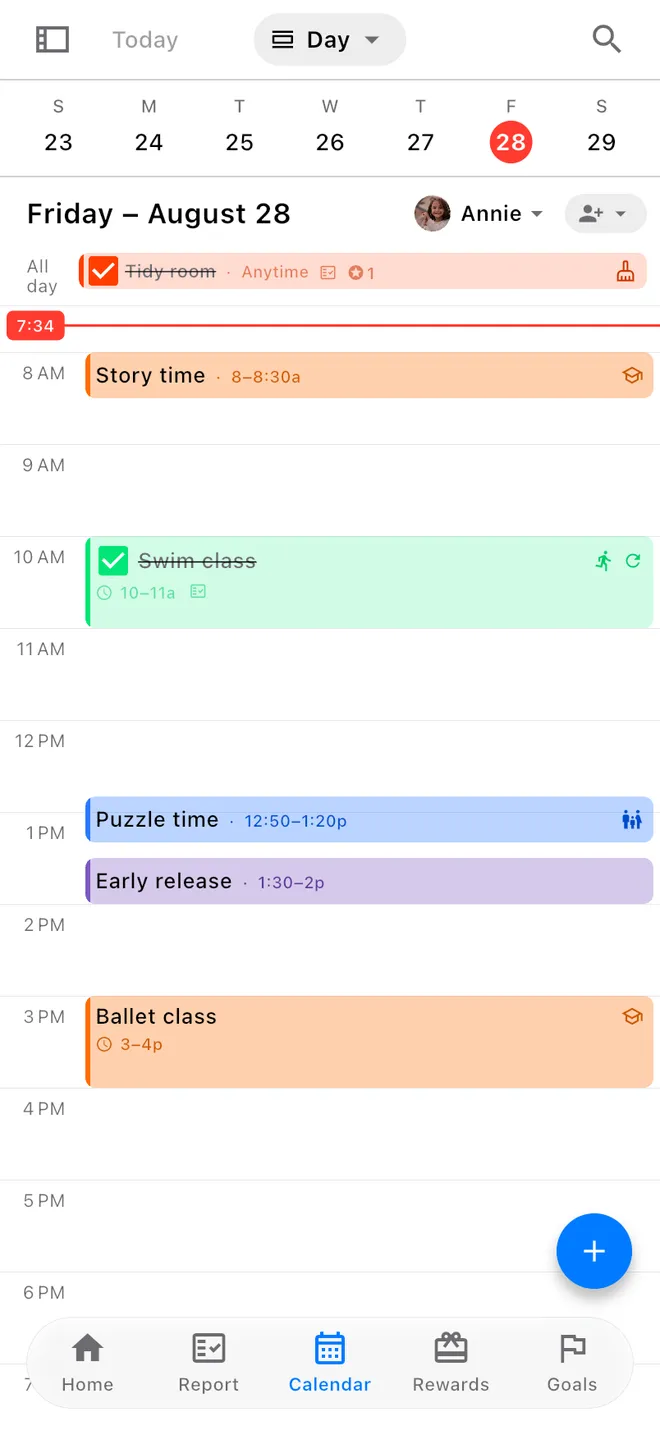
For parents it works just like the calendar built into your phone, with the same day, week and month views and the same quick editing. The difference is that any event can be made completable, worth points, and part of the daily report. Connect Google Calendar, or add iCloud, Outlook and school calendars by link, and their events sit beside your family's own, read-only, in every view and on the kiosk.
Don't buy another screen.
Family display products want to sell you a screen that costs hundreds of dollars, plus a subscription, and the cheap ones pay for themselves with ads. Olive Shoots is an app: your devices, one payment. You're the customer, not the product: no ads, and we never sell your data.
Pay once. That's it.
One payment covers your whole family, forever. Not for you? Get a full refund within 14 days, no questions asked.